
Bounce Rate Goal
Overview
The Bounce Rate goal tracks how many visitors included in your experiment left the page without interacting with it in any way.
Example: a visitor lands on the homepage, the experiment triggers, and leaves without doing anything else on the page - that counts as a bounce.
No integration required. Bounce Rate works by default via the tracking code.
How it works (inverted logic)
Bounce Rate is an inverted goal. By default, every visitor is treated as a bounce the moment they arrive. Only if the visitor interacts with the page does an "un-bounce" event get sent, canceling out the original bounce.
Because of this, a lower bounce rate shown in your dashboard is a good sign - it means more visitors engaged with your page.
Removing the goal
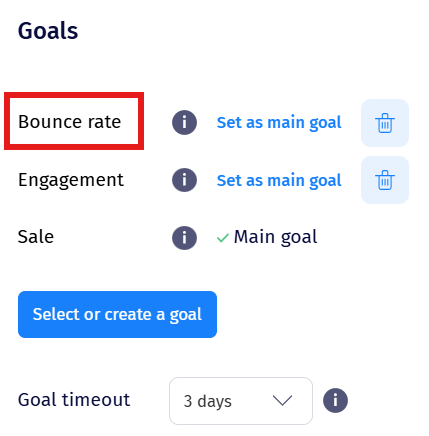
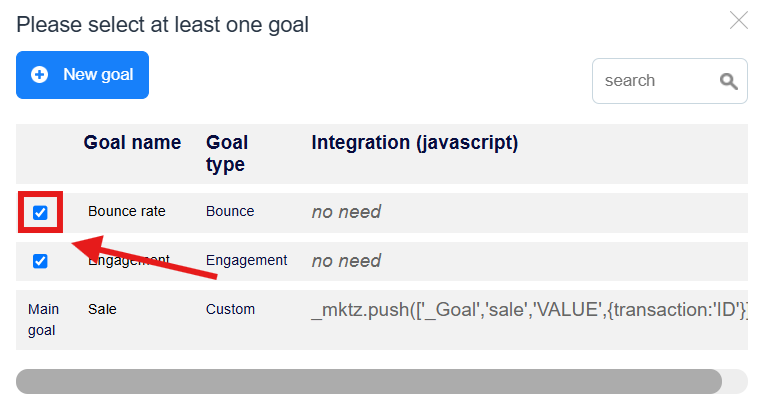
Bounce Rate is enabled by default. If you don't want to track it, go to Traffic Allocation & Goals in the experiment editor, press Select or create a goal, and uncheck the box next to Bounce Rate.
Known issue - inflated Bounce Rate on Split URL Test variations
If you're running a Split URL Test, you may notice a higher Bounce Rate on the Variation specifically. This is expected behavior, not a bug.
Why it happens:
A Split URL Test variation typically works by redirecting the visitor:
window.location.href='https://www.example.com/pages/homepage-b';Here's the sequence:
-
The visitor lands on the page where the experiment runs.
-
The experiment triggers and the visitor is bucketed into Control or Variation.
-
The visitor and view count for that experiment increase.
-
If bucketed into the Variation, the redirect code runs immediately.
-
Because the visitor is redirected right away without further interaction on the original page, a bounce is registered.
This isn't a sign of something broken - it's simply how bounce tracking interprets an immediate redirect. If Bounce Rate isn't meaningful for a Split URL Test, consider removing it from that experiment and relying on other goals instead.