Product Updates

New features, improvements and fixes in Omniconvert Explore.

Prompt to Code

You can now bring AI directly into the Visual Editor with Prompt to Code. Connect your preferred AI model using an API key, describe what you want to change in your experiment, and let AI generate the custom code needed...

You can now bring AI directly into the Visual Editor with Prompt to Code.

Connect your preferred AI model using an API key, describe what you want to change in your experiment, and let AI generate the custom code needed to bring your idea to life.
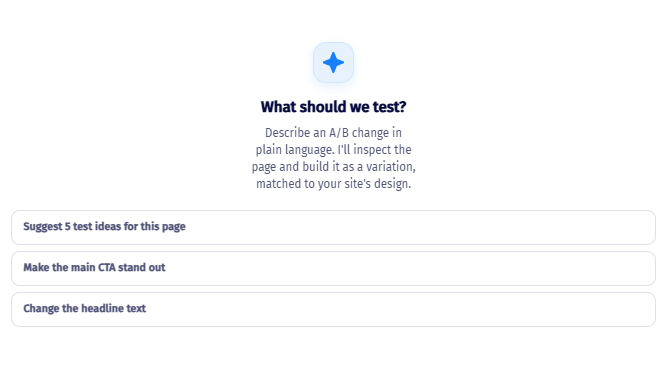
The Explore AI panel, ready for a prompt, with three example suggestions: suggest 5 test ideas for this page, make the main CTA stand out, and change the headline text.

What you can do

  • Connect your AI provider to the Visual Editor using an API key
  • Describe an experiment or customization in natural language
  • Have AI generate the required custom code
  • Use the generated code directly in your experiment
  • Iterate on your ideas by refining your prompts

Why this matters

Not every experiment can be built using the standard Visual Editor tools. Previously, more complex changes often required someone with programming knowledge to write custom HTML, CSS, or JavaScript.

Prompt to Code gives you another way to tackle those experiments. You can describe what you want to achieve and use AI to help translate your idea into working experiment code.

This means teams can explore more ambitious experiment ideas while reducing the amount of manual coding required.
AI Visual Editor
Like this update?

Insert Template

Experiment creation just got a whole lot easier. You can now add new elements to your experiment using Templates, without relying on a developer to write custom HTML or JavaScript. We've introduced 80+ ready-to-use...

Experiment creation just got a whole lot easier.

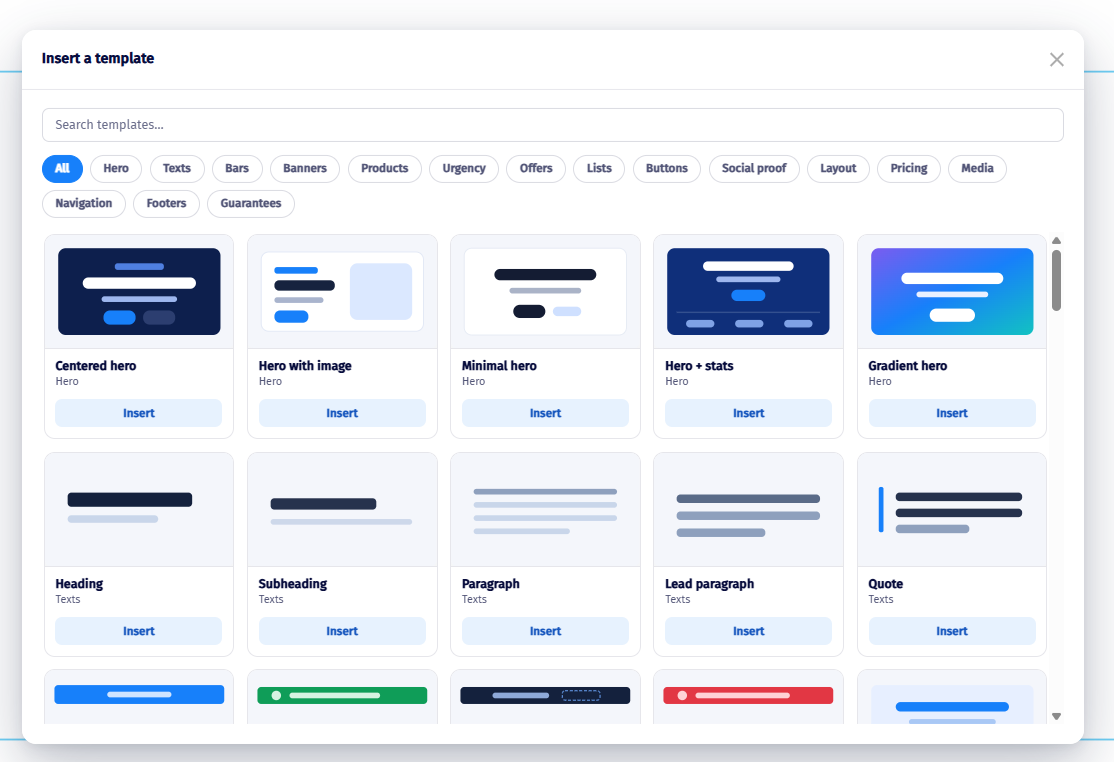
You can now add new elements to your experiment using Templates, without relying on a developer to write custom HTML or JavaScript.

We've introduced 80+ ready-to-use templates, covering a variety of common elements and experiment use cases. Each template can be fully customized after being added to the page.

What you can do

  • Browse 80+ ready-made templates
  • Insert new elements directly into your experiment
  • Customize templates to match your website
  • Modify their content, styling, and appearance
  • Build more complex variations without writing custom code

Why this matters

Adding new content or components to a page traditionally required a developer to create the necessary HTML and CSS.

With Templates, marketers, CRO specialists, and other non-technical users can now build more sophisticated experiments directly from the Visual Editor.

This opens up significantly more possibilities for experimentation - from adding new promotional elements and content blocks to completely changing the structure of a page.

Visual Editor New Feature
Like this update?

Revamped Edit Style Tool

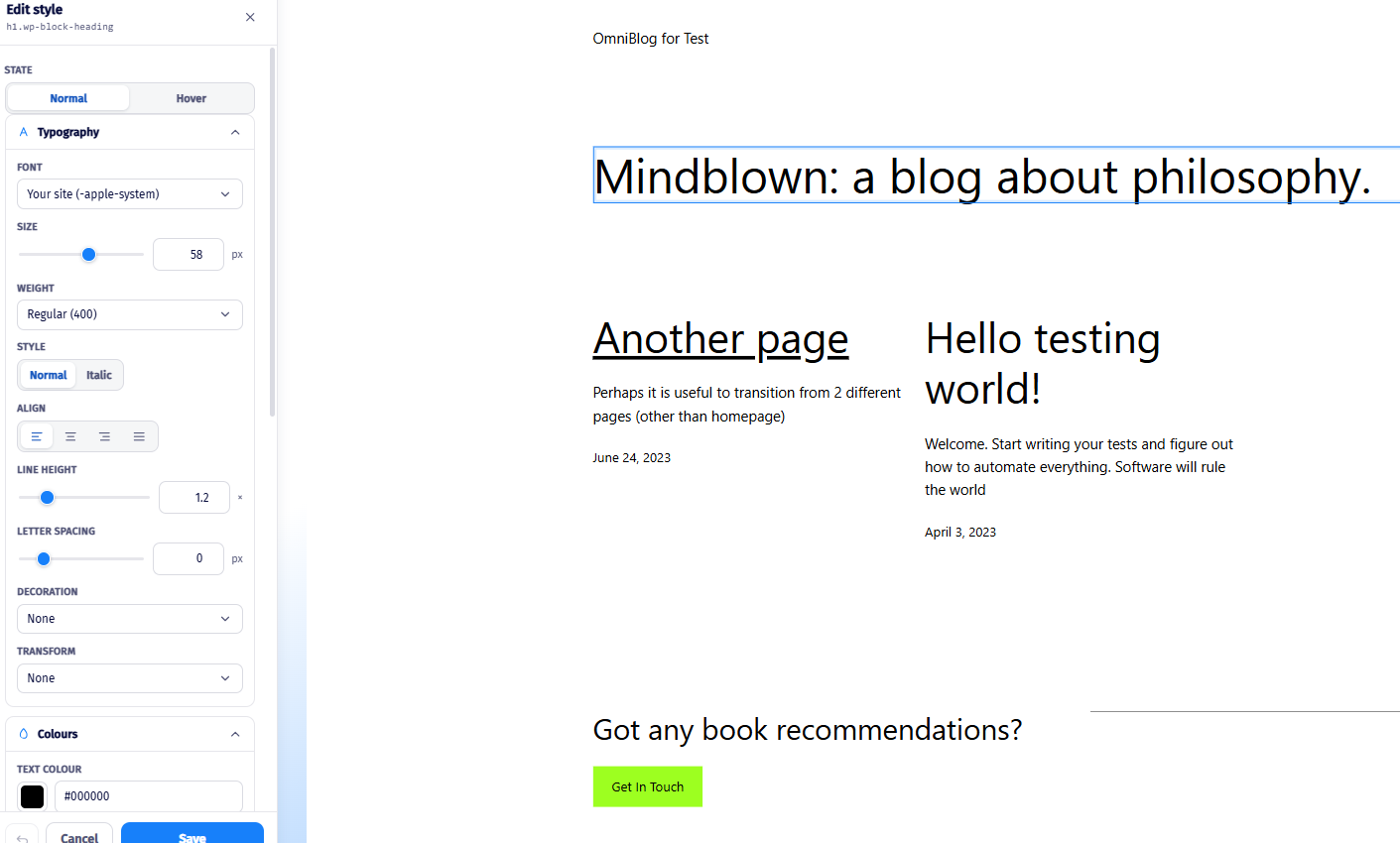
We’ve completely revamped the Edit Style experience in the Visual Editor, giving you more control over the appearance of your elements without needing to write CSS or custom code. The new interface provides a dedicated...

We’ve completely revamped the Edit Style experience in the Visual Editor, giving you more control over the appearance of your elements without needing to write CSS or custom code.

The new interface provides a dedicated styling panel with a wide range of customization options, making it easier to modify an element and see the changes instantly.

What you can do

A redesigned Edit Style interface, which includes even more options for customizing individual elements.

Easily adjust properties such as:

  • Typography
  • Font size and weight
  • Alignment
  • Line height
  • Letter spacing
  • Text and background colours
  • Decorations
  • Transformations
  • And more

Changes are reflected immediately on the selected element.

Why this matters

Previously, making more advanced styling changes could require knowledge of CSS or additional custom code. The revamped Edit Style tool brings these capabilities directly into the Visual Editor.

This makes it easier for non-technical users to build more sophisticated experiment variations, while still giving experienced users greater control over their designs.

Visual Editor Improvement
Like this update?

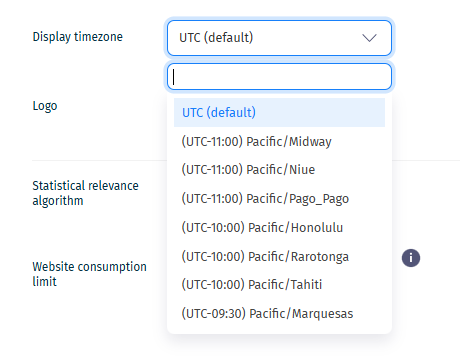
Display Timezone

We've introduced a new Display Timezone setting, allowing you to view dates and timestamps across Explore in the time zone that works best for you. Previously, all timestamps were displayed in UTC. While UTC remains the...

We've introduced a new Display Timezone setting, allowing you to view dates and timestamps across Explore in the time zone that works best for you.

Previously, all timestamps were displayed in UTC. While UTC remains the default option, you can now choose your preferred time zone directly from the Edit Website page.

What you can do

  • Select your preferred display time zone
  • View dates and times in a format that matches your team's location
  • Maintain UTC if you prefer a standardized view

Why this matters

  • Easier analysis and reporting across teams
  • No more manual time conversions
  • Improved accuracy when reviewing experiment activity and results
  • Better alignment with business hours and campaign schedules

This setting applies throughout the Explore Dashboard, including reports, experiment activity, and CSV conversion exports.

Account Settings Reports
Like this update?

Experiment Status Change Webhooks

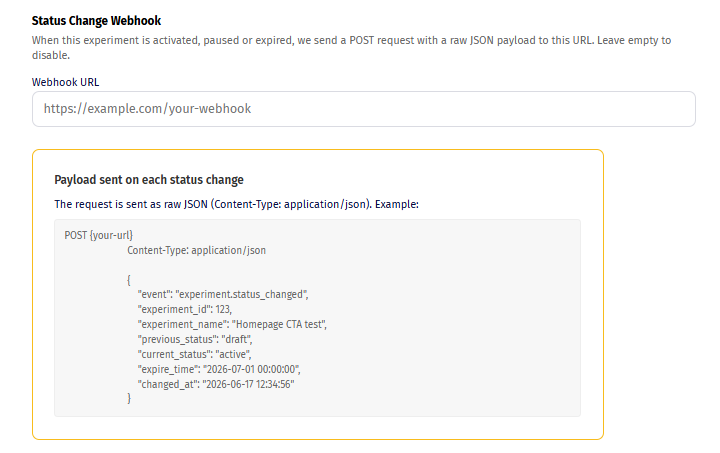
Stay informed and automate your workflows with the new Experiment Status Change Webhooks feature. You can now configure a webhook URL directly in your experiment settings to receive real-time notifications whenever an...

Stay informed and automate your workflows with the new Experiment Status Change Webhooks feature.

You can now configure a webhook URL directly in your experiment settings to receive real-time notifications whenever an experiment changes status.

What you can do

  • Receive a JSON payload when an experiment becomes Active, is Paused or Expires.
  • Connect experiment lifecycle events to your existing tools and workflows.
  • Trigger automations without manual monitoring.

Why this matters

  • Keep teams informed automatically
  • Integrate experiment events with Slack, Teams, CRMs, project management tools, or internal systems
  • Build custom workflows around experiment launches and completions
  • Reduce the need for manual status checks

Simply add your webhook endpoint in the experiment settings page, and Explore will notify your system whenever the experiment status changes.

Account Settings Experiments
Like this update?

Exclude visitors from experiments

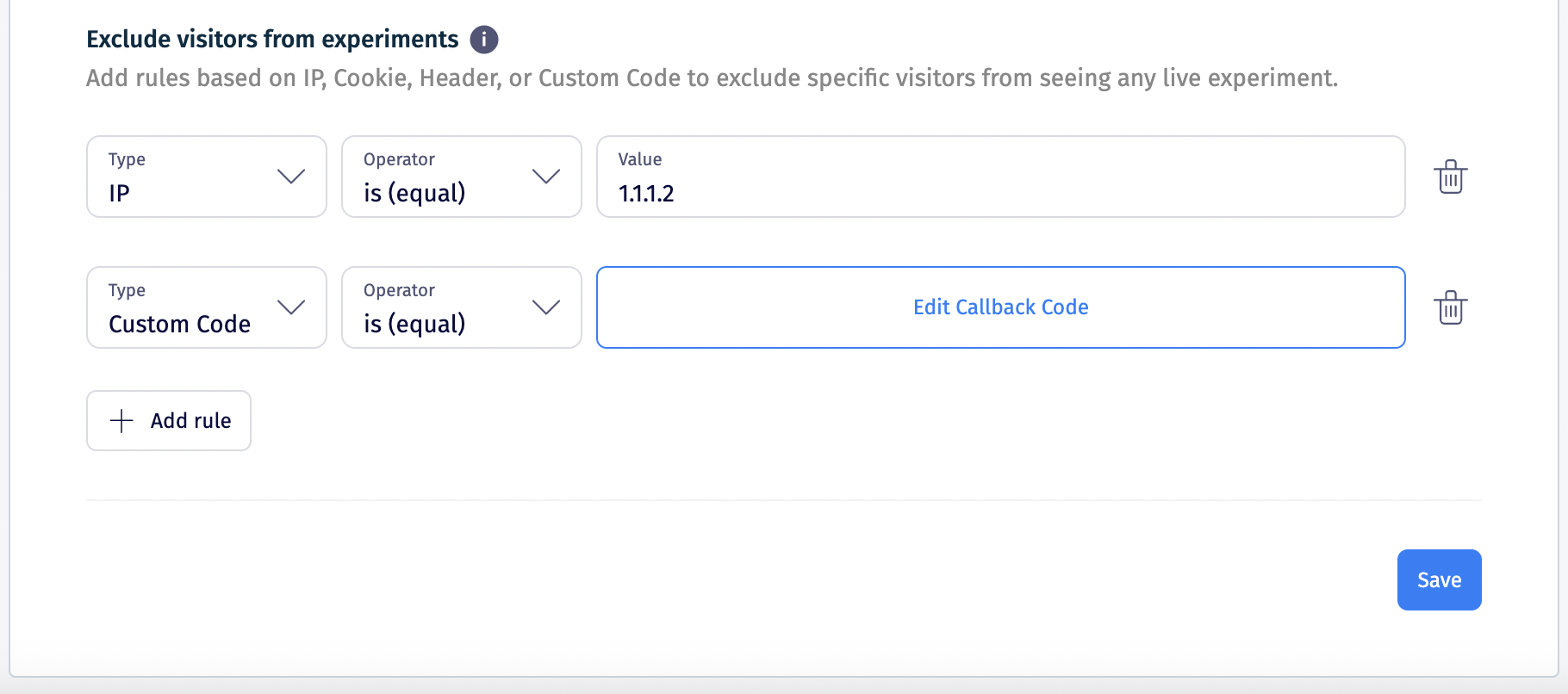
You can now exclude specific visitors from all experiments running on a website, giving you greater control over who is eligible to participate in your tests. What you can do Create website-wide exclusion rules based...

You can now exclude specific visitors from all experiments running on a website, giving you greater control over who is eligible to participate in your tests.

What you can do

  • Create website-wide exclusion rules based on:
    • IP address
    • Cookies
    • Request headers
    • Country
    • Custom JavaScript conditions
  • Apply exclusions across all experiments on the website (the tracking code will not run for the excluded users)

Why this matters

  • Prevent internal teams from affecting experiment results
  • Exclude partners, agencies, or test users from campaigns
  • Ensure cleaner data and more reliable experiment outcomes
  • Manage exclusions centrally instead of configuring them for each experiment

You can configure these rules from the Edit Website page, where they will automatically apply to all current and future experiments on that website.

Account Settings Targeting
Like this update?

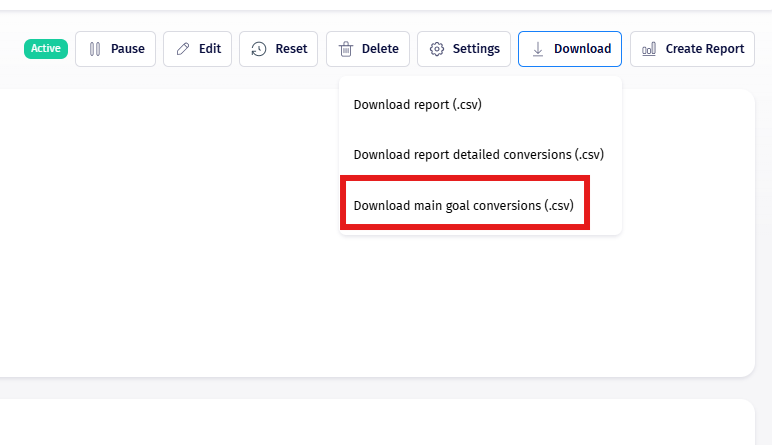
Export Main Goal Conversions (.CSV)

You can now download a .CSV file containing main goal conversions, making it easier to analyze and share experiment results. What you can do Export main goal conversion data in CSV format Use the data for: External...

You can now download a .CSV file containing main goal conversions, making it easier to analyze and share experiment results.

What you can do

  • Export main goal conversion data in CSV format
  • Use the data for:
    • External analysis
    • Reporting
    • Sharing with stakeholders

Why this matters

  • Simplifies data access outside the platform
  • Supports deeper analysis in tools like Excel or BI platforms
  • Helps teams collaborate and report on experiment performance
Goals Reports
Like this update?

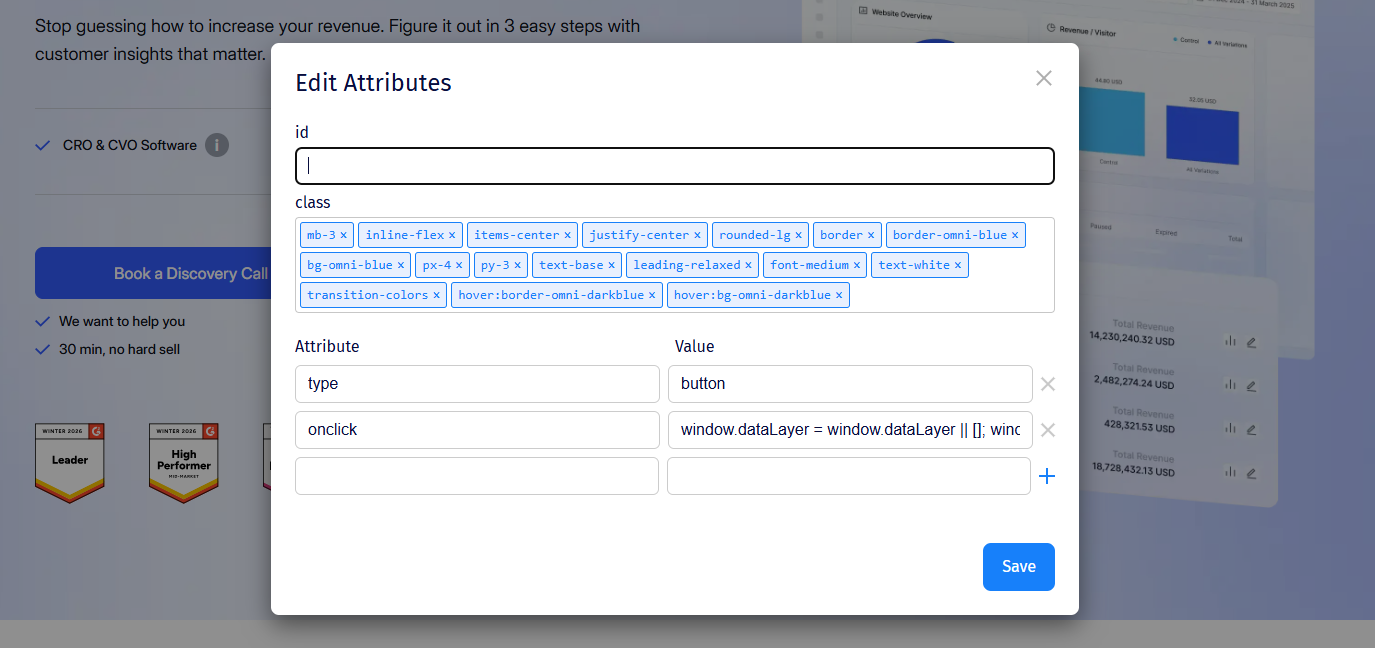
Edit Attributes

You can now edit element attributes directly in the Visual Editor, giving you more control over how elements behave. What you can do Modify attributes such as: href (links) class (styling and targeting) Other HTML...

You can now edit element attributes directly in the Visual Editor, giving you more control over how elements behave.

What you can do

  • Modify attributes such as:
    • href (links)
    • class (styling and targeting)
    • Other HTML attributes
  • Apply changes directly from the editor interface

Why this matters

  • Enables deeper customization without custom code
  • Makes it easier to update links, tracking, or styling hooks
  • Bridges the gap between visual editing and technical control

This feature is especially useful for more advanced experiments that require fine-tuned behavior changes.

Visual Editor Advanced Testing
Like this update?

Copy & Paste Elements

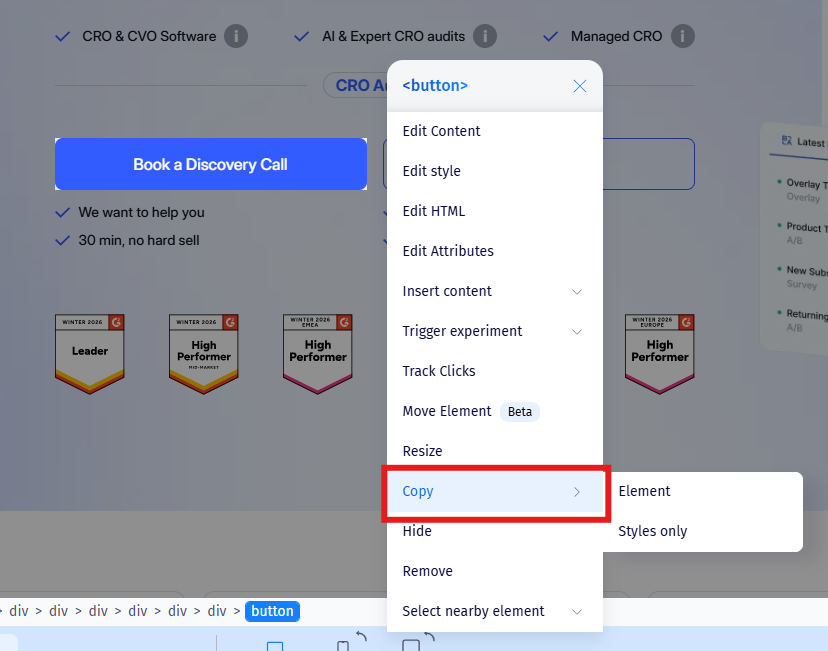
You can now copy and paste elements directly inside the Visual Editor, making it easier to duplicate content and build variations faster. What you can do Copy any element on the page Paste it anywhere within the page...

You can now copy and paste elements directly inside the Visual Editor, making it easier to duplicate content and build variations faster.

What you can do

  • Copy any element on the page
  • Paste it anywhere within the page structure
  • Choose to:
    • Paste with styles (full duplication)
    • Paste without styles (structure only)

Why this matters

  • Speeds up experiment creation
  • Reduces repetitive work when building variations
  • Gives you more flexibility when testing layouts and components

This update makes it much easier to reuse and adapt existing elements without starting from scratch.

Visual Editor Improvement
Like this update?

HTML Explorer

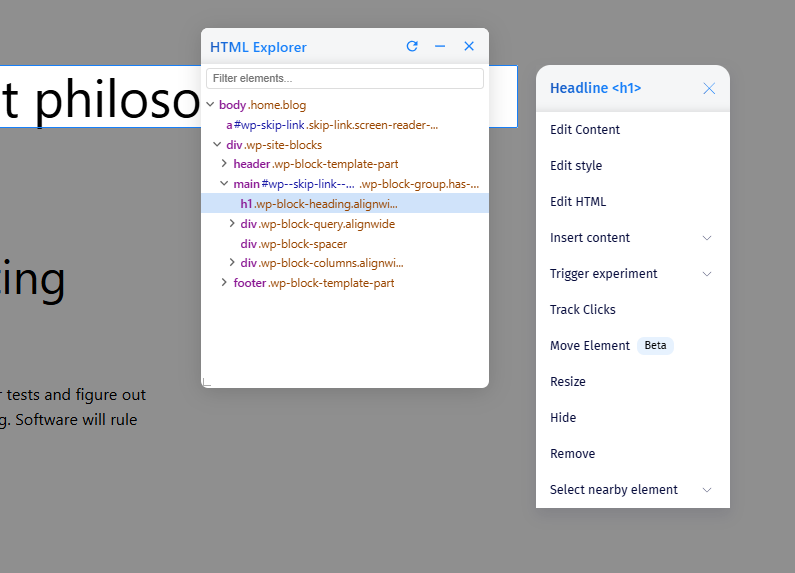
We’ve introduced HTML Explorer, a new widget inside the Visual Editor that gives you a complete, structured view of all elements on a page - making it easier than ever to find, select, and modify exactly what you need...

We’ve introduced HTML Explorer, a new widget inside the Visual Editor that gives you a complete, structured view of all elements on a page - making it easier than ever to find, select, and modify exactly what you need.

Inspired by the way browser developer tools display page structure, HTML Explorer brings that level of control directly into your experimentation workflow.

What you can do

  • View the full hierarchy of elements on the page in one place
  • Instantly search and locate specific elements
  • Select elements directly from the structure panel
  • Quickly switch selection to:
    • Parent elements
    • Child elements
    • Sibling elements
  • Automatically highlight selected elements on the page
  • Open the customization panel instantly for editing

Why this matters

  • Eliminates guesswork when selecting complex or nested elements
  • Speeds up experiment creation and layout changes
  • Reduces reliance on manual selectors or custom code
  • Makes precise targeting accessible to both technical and non-technical users

HTML Explorer significantly improves control and accuracy when building visual experiments - especially on complex page structures where traditional selection can be challenging.

Visual Editor Developer Tools
Like this update?

Move Element Tool (BETA)

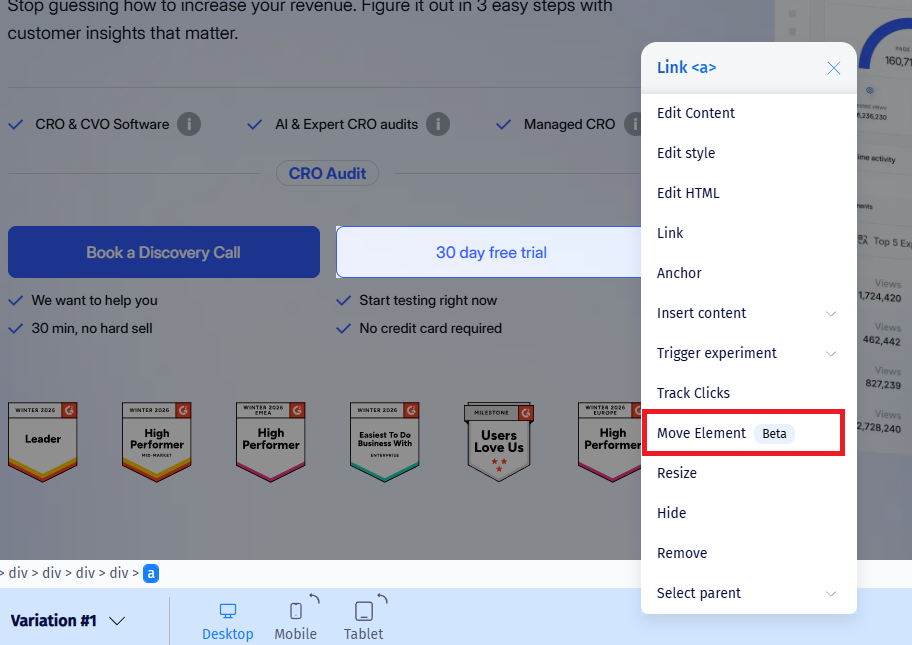
We’ve introduced a new Move tool in the WYSIWYG/Visual Editor that lets you reposition elements on the page without writing code. What you can do: Select any element you want to reposition Choose the destination element...

We’ve introduced a new Move tool in the WYSIWYG/Visual Editor that lets you reposition elements on the page without writing code.

What you can do:

  • Select any element you want to reposition
  • Choose the destination element
  • Instantly move the selected element before or after it

Why this matters:

  • Faster layout changes directly in the editor
  • No manual DOM manipulation needed
  • Easier creation of layout-based A/B tests
  • More flexibility when building variations
Visual Editor Improvement
Like this update?

Quick Access to Experiment Reports

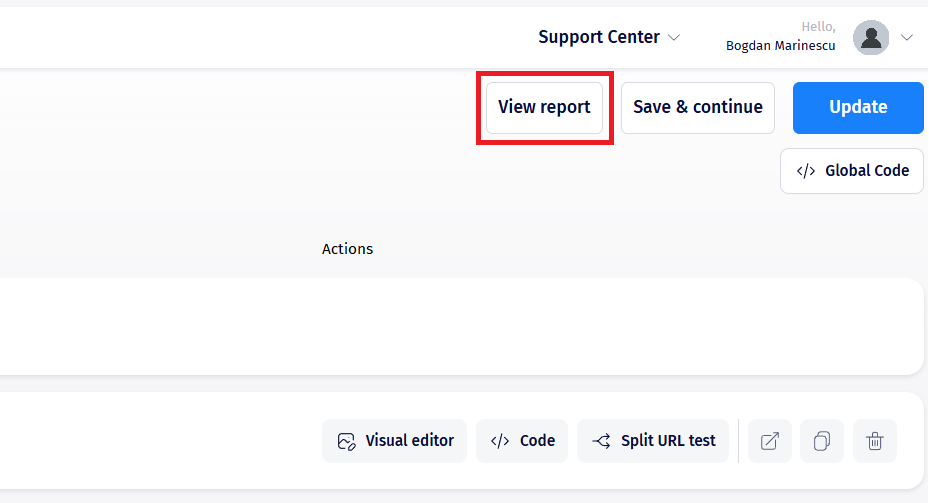
You can now exit Experiment Edit mode and jump straight to the experiment’s report page with a single click. A new View Report button is now available while you’re in Experiment Edit mode. It takes you directly to that...

You can now exit Experiment Edit mode and jump straight to the experiment’s report page with a single click.

A new View Report button is now available while you’re in Experiment Edit mode.
It takes you directly to that experiment’s reporting page - no need to return to the experiment list and search for it again.

Why this matters

  • Faster access to results during setup or review
  • Smoother workflow between editing and analysis
  • Saves time when iterating on experiments

A small change, but a big quality-of-life improvement for teams that move quickly between building and evaluating experiments.

Reports Experiments
Like this update?

Website Consumption Limit Control

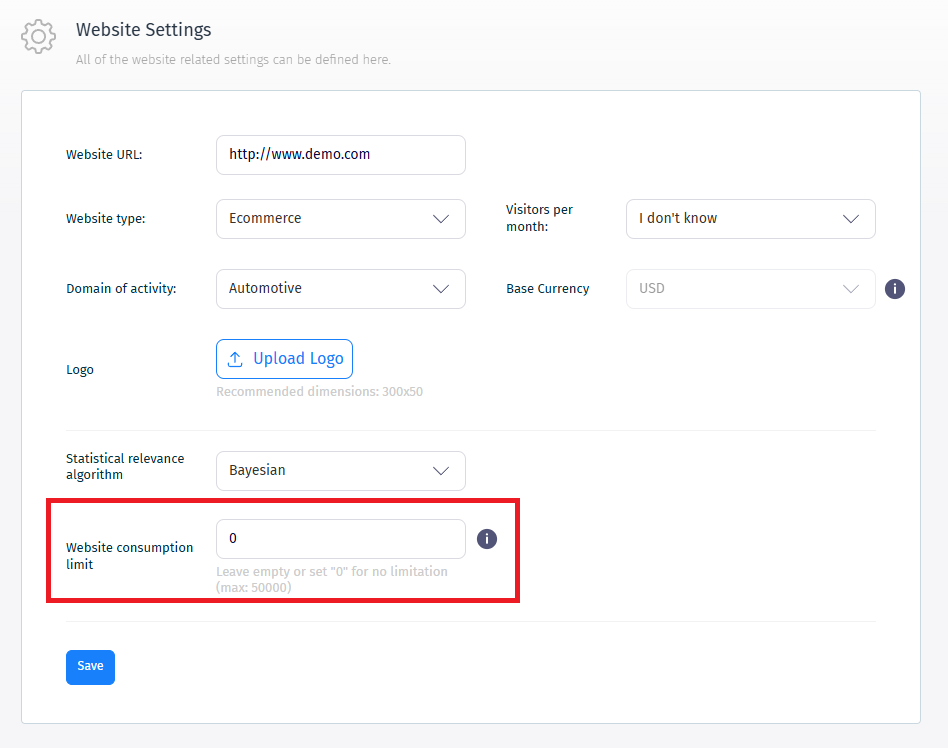
A new control mechanism helps you manage website consumption limits more effectively. This feature gives you better visibility and control over usage, helping teams plan experiments confidently and avoid unexpected...

A new control mechanism helps you manage website consumption limits more effectively.

This feature gives you better visibility and control over usage, helping teams plan experiments confidently and avoid unexpected interruptions.

Account Settings Billing
Like this update?

New Experiment Statuses

We’ve introduced new experiment status to improve workflow clarity and experiment lifecycle control. Draft Default status for newly created experiments Not visible to website visitors Helps differentiate unfinished...

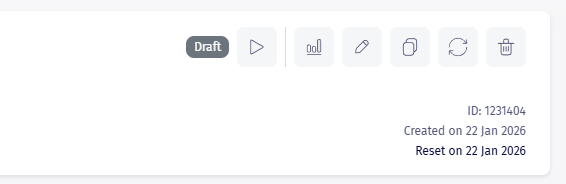
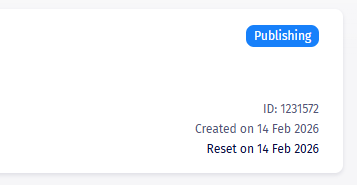
We’ve introduced new experiment status to improve workflow clarity and experiment lifecycle control.

Draft

  • Default status for newly created experiments
  • Not visible to website visitors
  • Helps differentiate unfinished setups from paused experiments
  • Cannot be restored after publishing

Publishing (Shopify experiments only)

  • Temporary status during Shopify synchronization
  • May last from a few seconds to a few minutes
  • Automatically transitions to Active when complete

These updates make experiment management clearer and reduce confusion during setup and deployment.

Experiments Workflow
Like this update?

Advanced Goal Targeting (Multiple URL Conditions)

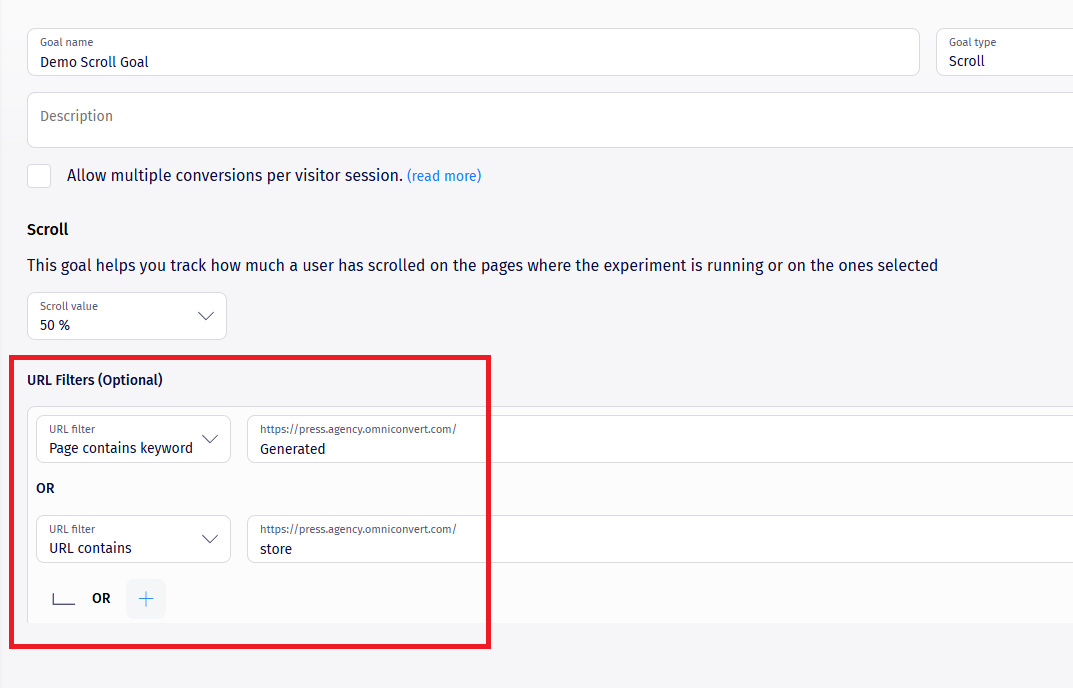
Goal configuration is now more flexible and powerful. Pageview, On-click, and Scroll goals now support multiple URL-based conditions combined using AND/OR logic - similar to audience segmentation. Why this matters More...

Goal configuration is now more flexible and powerful.

Pageview, On-click, and Scroll goals now support multiple URL-based conditions combined using AND/OR logic - similar to audience segmentation.

Why this matters

  • More precise tracking for complex funnels
  • Better alignment between goals and targeting logic
  • Easier measurement across multiple pages or flows

Existing goals continue to work normally and are automatically adapted for compatibility.

Goals Targeting
Like this update?

Shopify Price Testing

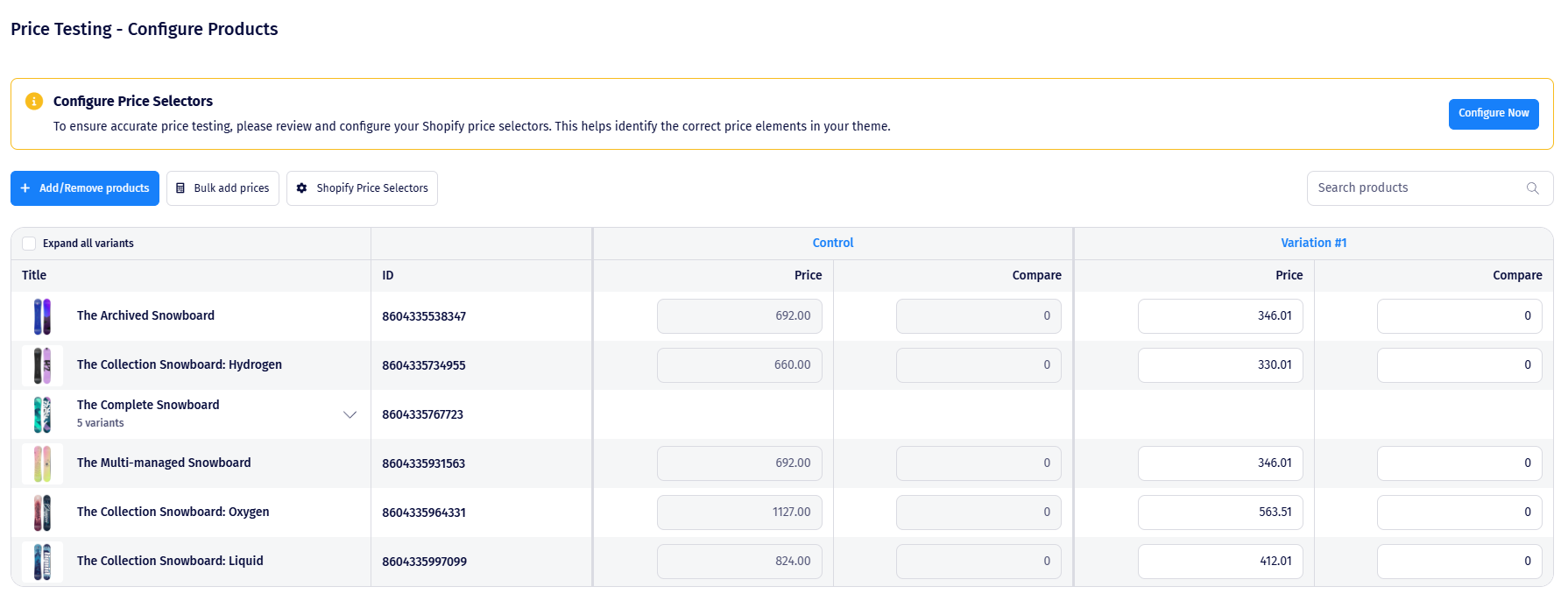
We’re excited to introduce one of the most anticipated capabilities: Price Testing is now live and available to all Shopify users with single-currency stores. This feature allows you to test product pricing directly...

We’re excited to introduce one of the most anticipated capabilities: Price Testing is now live and available to all Shopify users with single-currency stores.

This feature allows you to test product pricing directly within Shopify while maintaining accurate tracking and performance stability.

What’s included:

  • Uses the existing Explore Shopify app (no new installation flow)
  • Improved App Embed with:
    • Anti-flicker protection
    • Configurable timeout duration
  • Updated Shopify Pixel for accurate sale goal tracking
  • Shopify function for applying price changes
  • Additional permissions for product and discount management

📚 Documentation and tutorials coming soon.

Shopify Advanced Testing
Like this update?