
Use Customer Attributes
Overview
Customer Attributes let you share data you already store in your own database with Explore, so you can segment visitors more precisely than what's possible with the built-in On-Page Variables.
Example: if you run an online clothing shop where visitors create accounts, you might collect information like sex or shoe size during registration. You can send that data to Explore and later build experiments around it - for example, an experiment that only targets male visitors, or one that shows a shoe recommendation based on stored shoe size.
Sending an attribute to Explore
Add this JavaScript snippet to your website:
javascript
<script>_mktz.push(['_Var','NAME','VALUE']);</script>-
NAME- the name of the attribute (e.g.gender) -
VALUE- the value of the attribute (e.g.male)
The main tracking code must be installed on every page where you use this snippet.
If an attribute already exists for a visitor, sending a new value overwrites the old one. To clear an existing value, send the snippet with VALUE left empty.
Viewing sent attributes
From the left menu, press Advanced, then select Customer Attributes. This page shows every attribute you've sent, along with the number of visitors associated with each one.
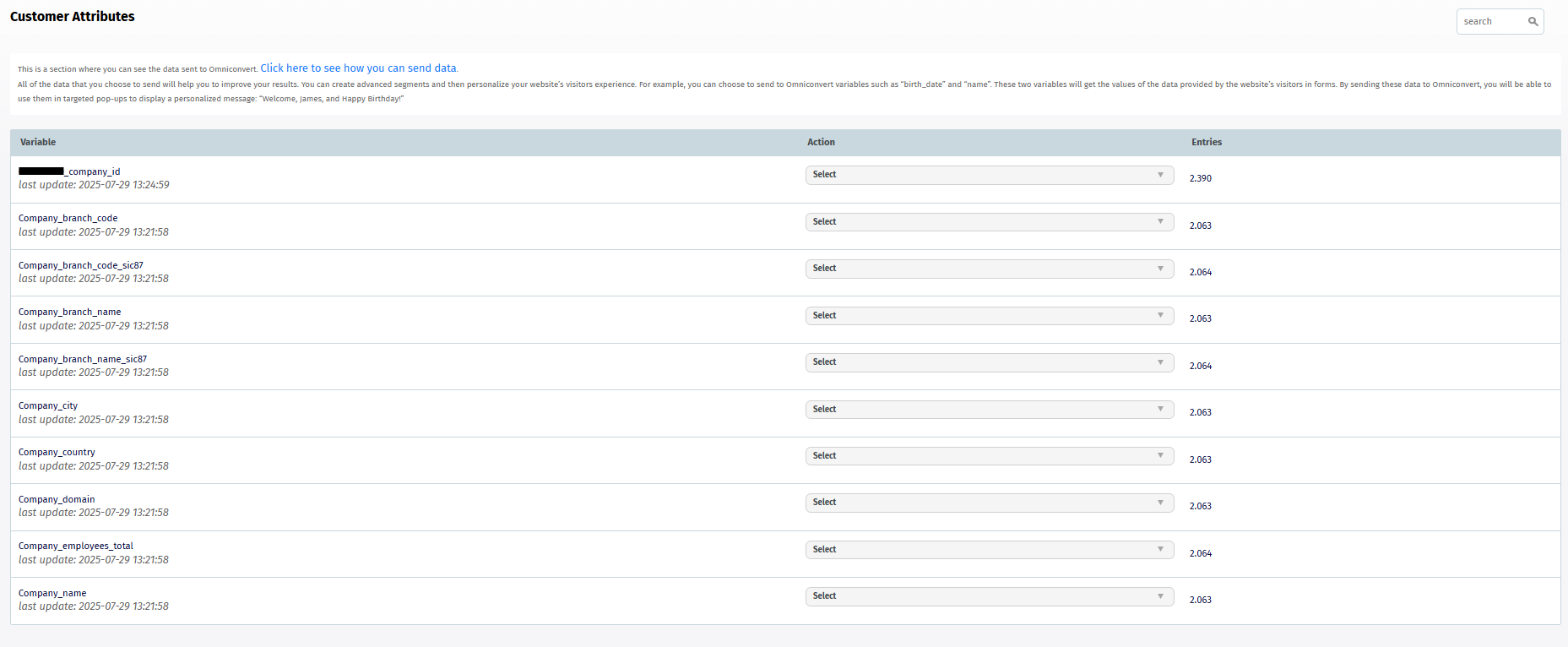
For debugging, you can view the last 10 values sent for any given attribute.
How to use Customer Attributes
In segmentation
Use a Customer Attribute as a condition when building a segment, so your experiment only applies to visitors matching that attribute. See Understand How Segmentation Works.
In experiments
Use a Customer Attribute as dynamic text to personalize an experiment or survey - for example, addressing a survey respondent by their stored first name.
Segmentation and personalization using Customer Attributes works whether or not the visitor is currently logged in to your website.