
Integrate with Lucky Orange
Overview
Lucky Orange offers session recording, dynamic heatmaps, live chat, and visitor behavior analysis. Integrating it with Explore lets you enhance your A/B tests, overlays, and surveys with that data, making your results more actionable.
Both the Lucky Orange tracking code and the Explore tracking code must be present on your website for this integration to work - this allows Explore to send event data to Lucky Orange for advanced reporting.
Step 1 - Install the Lucky Orange code
-
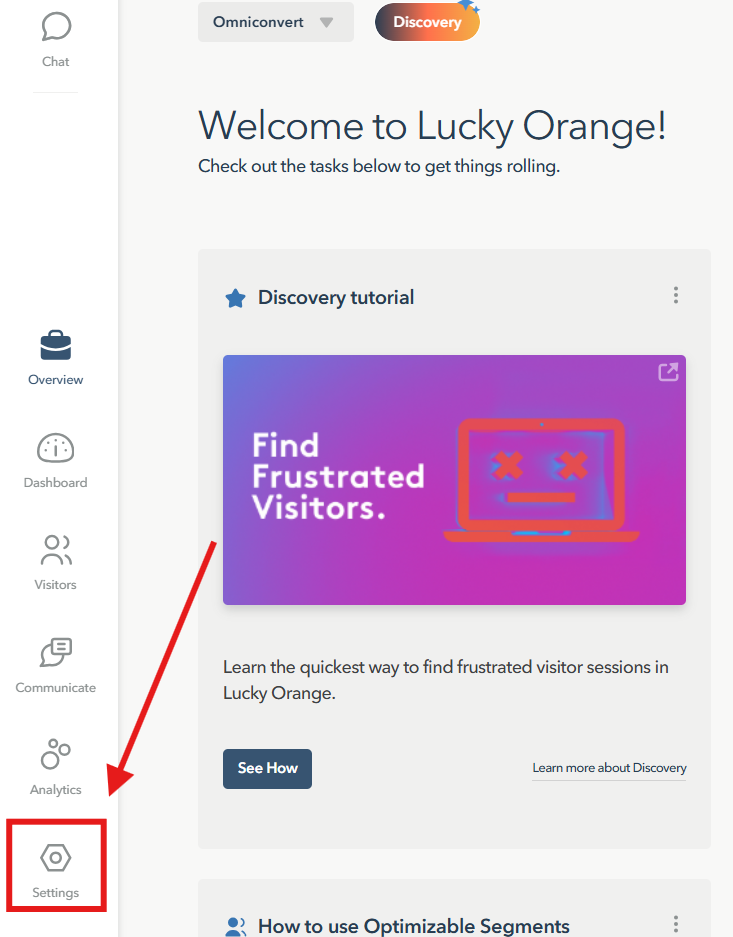
In Lucky Orange, go to Settings from the left-side menu.
-
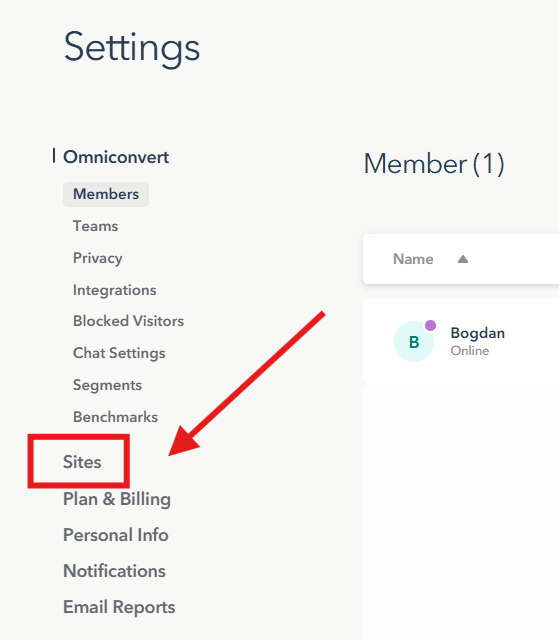
Select Sites from the dropdown.
-
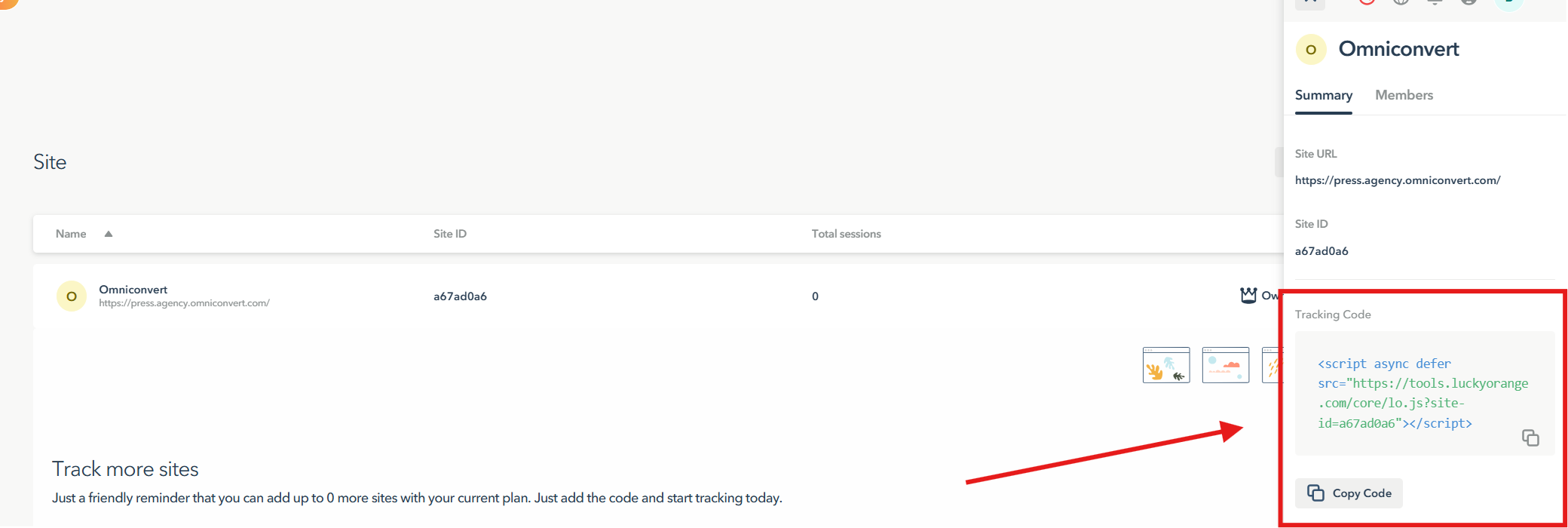
Click the website you want to integrate. Its details open on the right side.
-
Press Copy Code.
-
Paste the Lucky Orange code into your website's code.
Step 2 - Enable the integration in Explore
-
Click your active website name to open the dropdown, then select Integration.
-
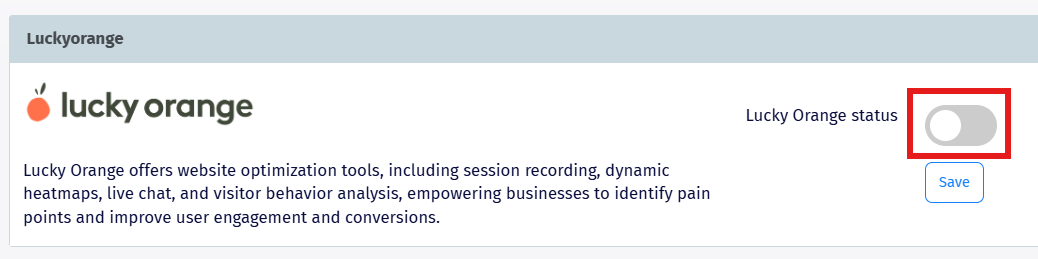
Scroll to the Lucky Orange integration, turn on Lucky Orange status, and press Save.
What you get
-
Advanced Reporting - build comprehensive reports in Lucky Orange using Explore's experiment data.
-
Improved Marketing Strategies - deeper insight into customer behavior to refine your marketing efforts.
-
Seamless Integration - minimal setup, just both tracking codes installed on your site.