
Integrate with FreshMail
Overview
Your Explore Survey tool can collect various visitor data - email, name, phone number, and more. By default, this is saved in Explore and downloadable as a CSV. With the FreshMail integration, you can send that same data directly into a FreshMail list instead.
Setting up the integration
-
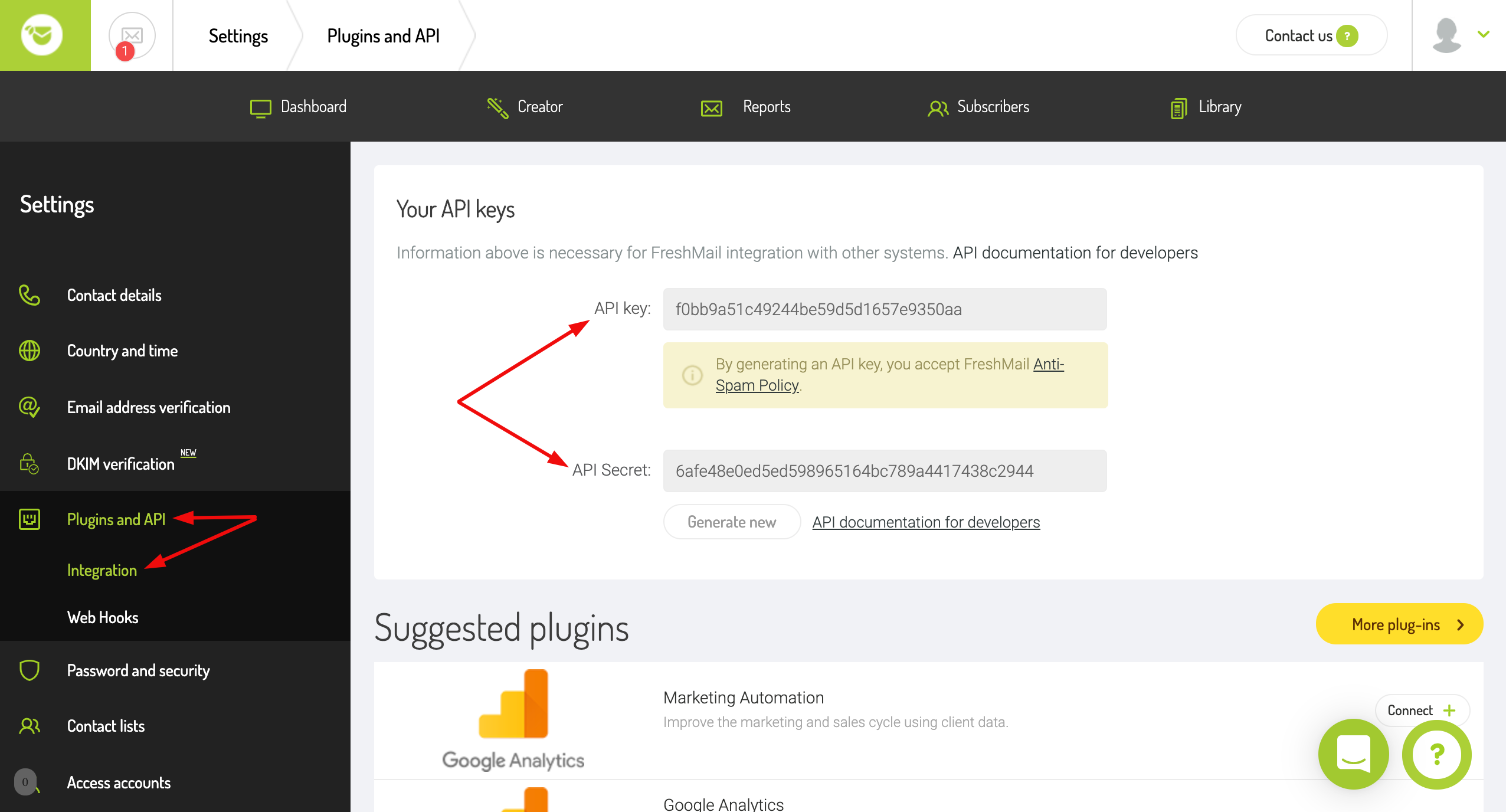
In your FreshMail account, go to Dashboard → Settings → Plugins & API.
-
Copy your API Key and API Secret.
-
In the Explore Dashboard, go to Integrations.
-
Paste the API Key and API Secret into the corresponding fields, then press Save.

Once connected, the option to send leads via FreshMail becomes available when setting up experiments that gather leads.