Integrate with Yandex Metrica
Overview
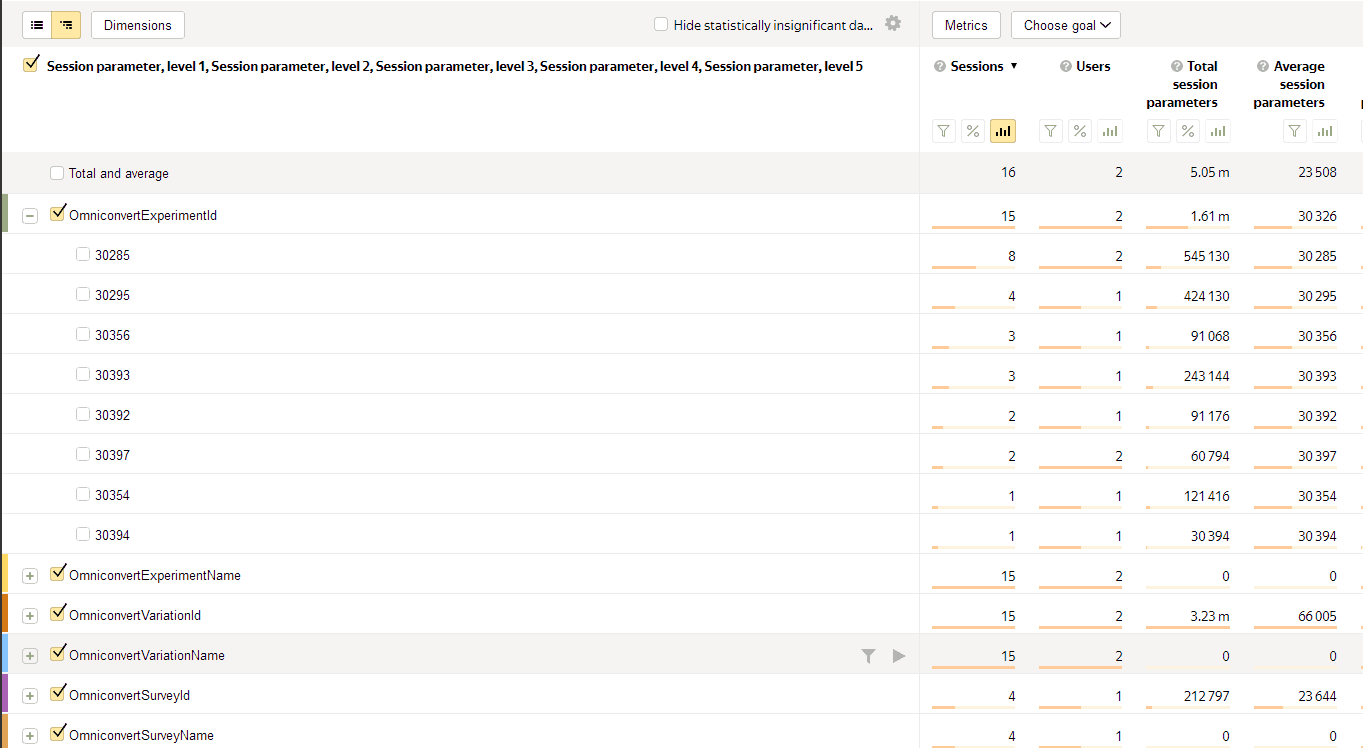
Once activated, every time a visitor is exposed to a variation, Explore sends an event to Yandex Metrica containing the experiment name and ID, plus the variation name and ID. This lets you filter and see visitors' paths before and after interacting with your experiments.
Activation
-
Log into Explore, click your website name, and select Integrations.
-
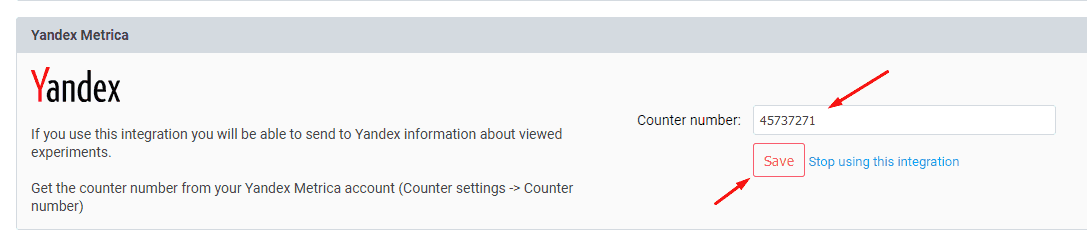
In your Yandex Metrica account, go to Counter settings → Counter number and copy it.
-
Paste it into the Integrations menu in Explore, then click Save.
Warning
These events are sent with a non-interaction parameter, meaning they will not count toward Bounce Rate calculations in Yandex.
Viewing the data
In Yandex Metrica, go to Reports → Standard reports → Content → Session parameters to see the events sent by Explore.